
General Workspace Settings
Your workspace's name, short name and ID, plus what you're using against your plan.
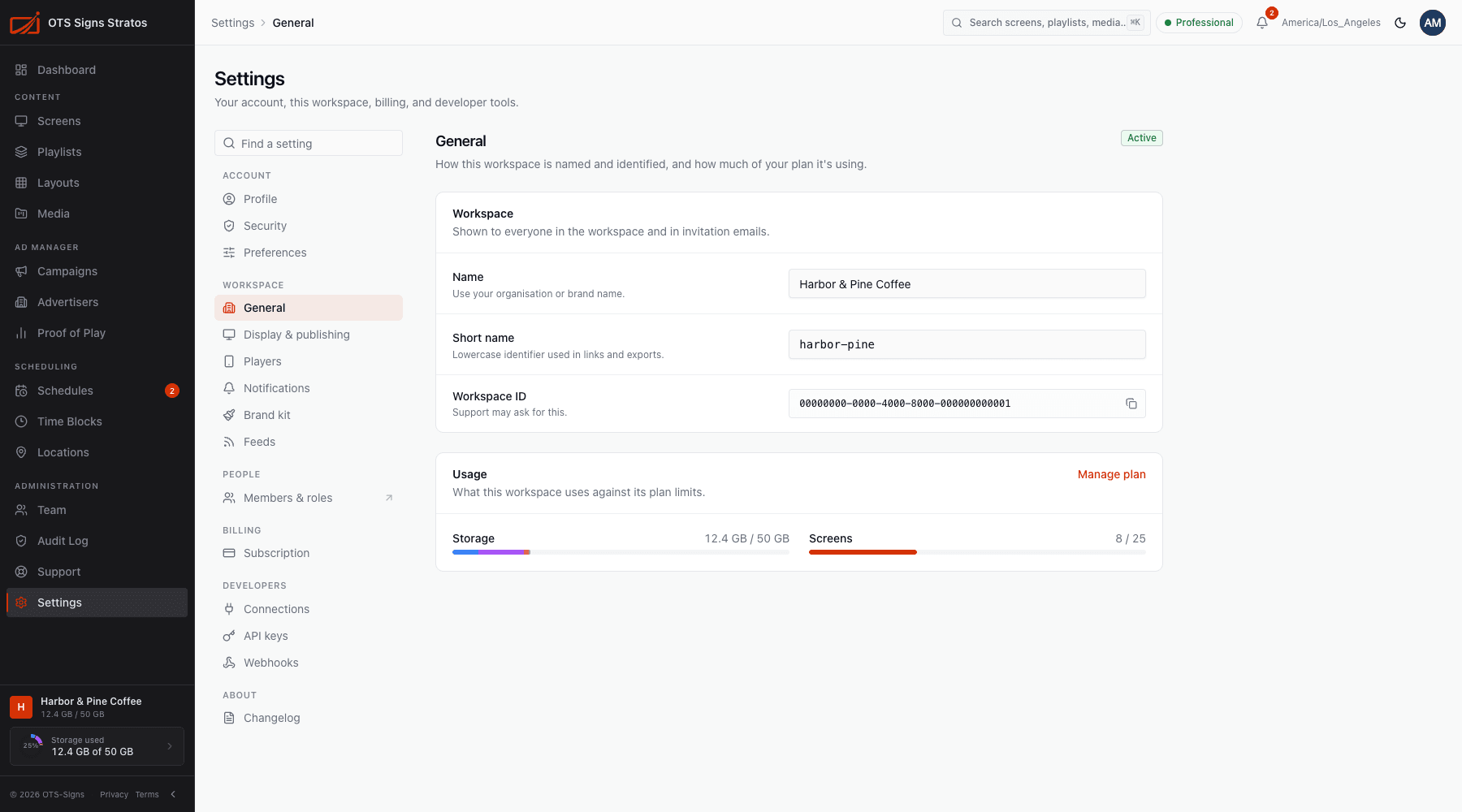
Settings → General names and identifies your workspace and shows what you’re using.
You need workspace:read to view and workspace:write to change.
Workspace
Section titled “Workspace”| Field | Notes |
|---|---|
| Name | Shown to everyone in the workspace and in invitation emails. Use your organisation or brand name. |
| Short name | A lowercase identifier used in links and exports. At least 3 characters: lowercase letters, numbers and hyphens only. |
| Workspace ID | Read-only. Support may ask for it. Click to copy. |
Click Save to apply. A confirmation says Workspace updated.
The page also shows how much of your plan you’re using: screens against your allowance and storage used. See Storage and Plans & Subscription.