
Player Updates
Choose how the Stratos player software on your screens updates itself.
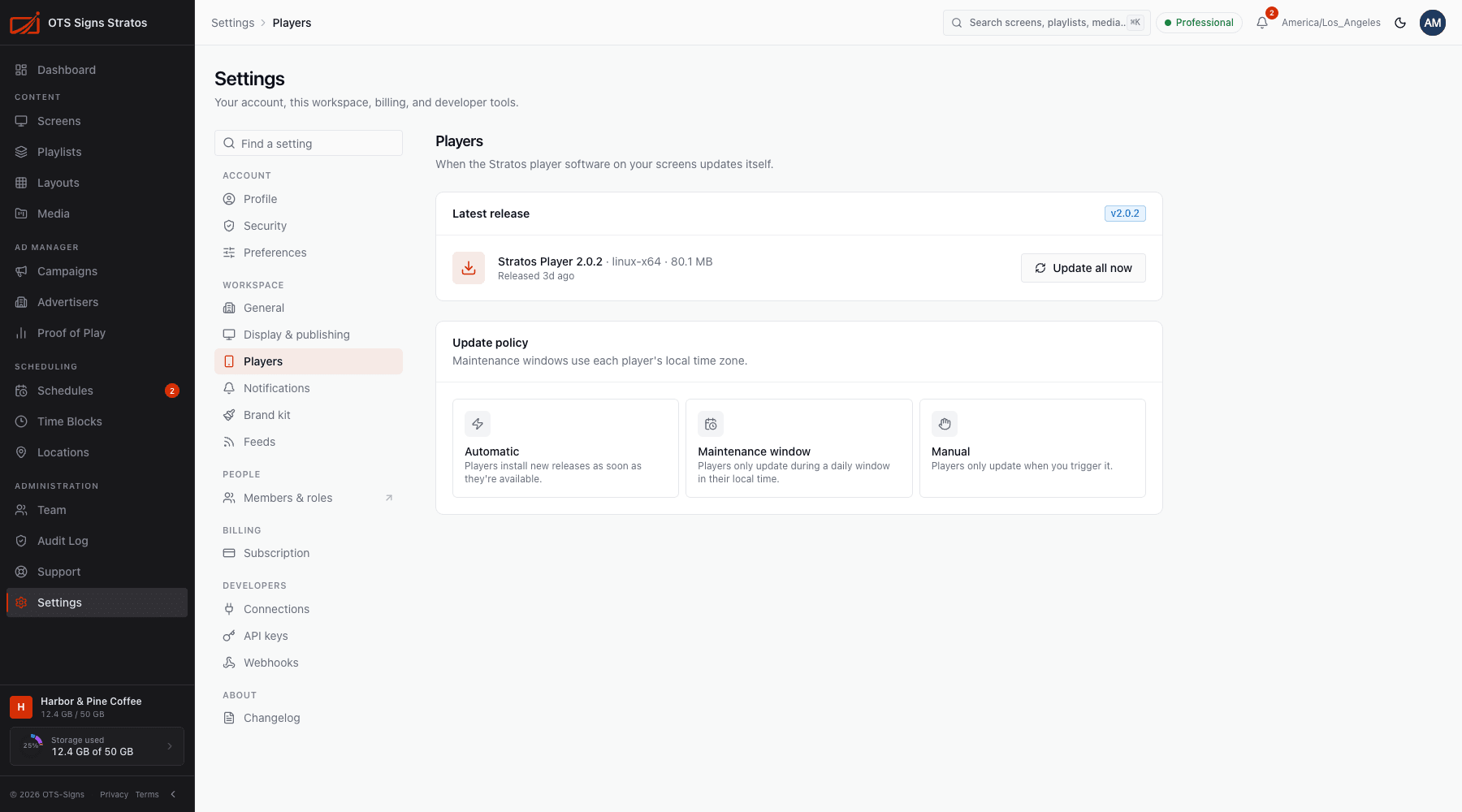
Settings → Players controls when the Stratos player software on your screens installs new releases. You need screens:read to view and workspace:write to change it.
Latest release
Section titled “Latest release”The Latest release card shows the newest player version available and when it was published. Screens running an older version show v… available on their screen page.
Update policy
Section titled “Update policy”| Policy | Behaviour |
|---|---|
| Automatic | Players install new releases as soon as they’re available. |
| Maintenance window | Players only update during a daily window in their local time. Set Window opens and Window closes. Windows use each player’s own time zone. |
| Manual | Players only update when you trigger it. |
Pick one and save. A message confirms Player update policy saved.
Update all players now
Section titled “Update all players now”Update all now (with confirmation) tells every player in the workspace to download and install the latest release right away, ignoring the policy. Screens may go blank briefly while they restart. A message confirms Update requested for all players.
To update just one screen, use Update to v… on its Device tab.
What happens during an update
Section titled “What happens during an update”The player downloads the release, installs it, restarts and confirms it’s healthy. If something goes wrong it can roll back to the version that was working. See Player Software.