
Settings Overview
Where to find each setting for your account, workspace, billing and developer tools.
Settings (in the sidebar, or from your account menu) is one place for everything about you, your workspace, billing and developer tools. A menu on the left groups the pages. Use Find a setting at the top of the menu to search, for example time zone or password.
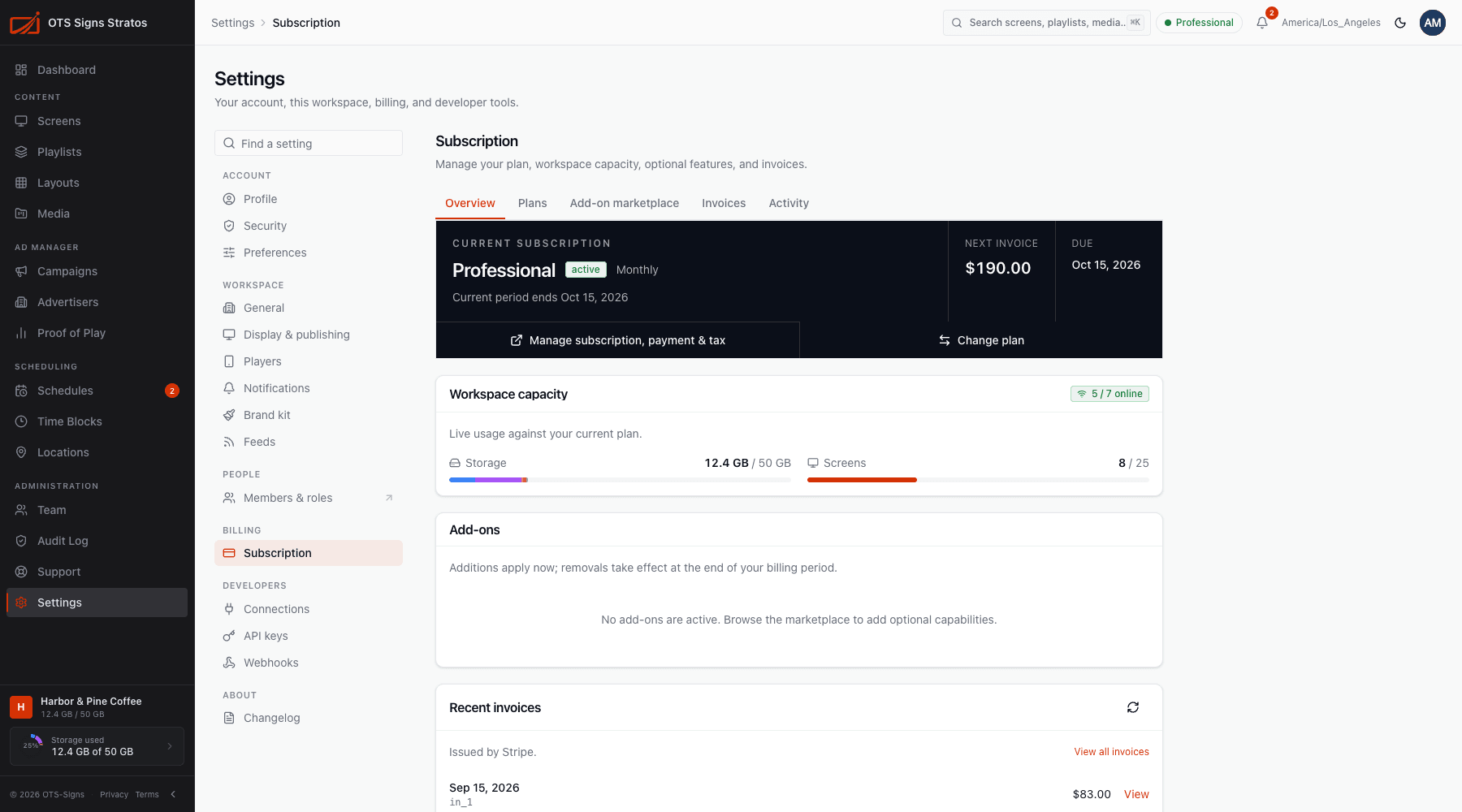
You only see the pages your permissions allow. Pages marked Account are about you and always show. Workspace pages need workspace:read (and workspace:write to change them).
Account (about you)
Section titled “Account (about you)”| Page | What it holds |
|---|---|
| Profile | Your name, photo and email. |
| Security | Password, two-factor authentication and active sessions. |
| Preferences | Theme, clock format and time zone for what you see. |
Workspace
Section titled “Workspace”| Page | What it holds |
|---|---|
| General | Workspace name, short name, ID and usage. |
| Display & publishing | Fallback content, offline threshold, approvals, campaign archive. |
| Players | How player software updates. |
| Notifications | Who’s emailed about screen health. |
| Brand kit | Logo, colours and fonts. |
| Feeds | RSS, social, calendar and review data for widgets. |
People
Section titled “People”Members & roles takes you to the Team area. See Members.
Billing
Section titled “Billing”Subscription: your plan, capacity, add-ons and invoices.
Developers
Section titled “Developers”| Page | What it holds |
|---|---|
| Connections | Connect external services such as Canva. |
| API keys | Credentials for the Stratos API. |
| Webhooks | Real-time event notifications to your systems. |
Changelog: what’s new in Stratos.
Who can change what
Section titled “Who can change what”| Area | Permission to view | Permission to change |
|---|---|---|
| Workspace pages | workspace:read | workspace:write (Admin, Account Owner) |
| Players | screens:read | workspace:write |
| Feeds | feeds:read | feeds:write |
| Subscription | billing:read | billing:write (Account Owner) |
| Connections | integrations:read | integrations:write |
| API keys, webhooks | developer_integrations:read | developer_integrations:write (Account Owner) |
Where you can see a page but not change it, fields are disabled with a note explaining why.