
Webhooks
Get signed, real-time HTTP notifications in your own systems when things change in Stratos.
A webhook sends an HTTP request to a URL you choose whenever something happens in your workspace, such as a campaign being created or a screen being added. Use it to update other systems or trigger automations.
Where to find it: Settings → Webhooks. You need developer_integrations:read to view and developer_integrations:write to manage (by default the Account Owner). Webhooks are a plan feature.
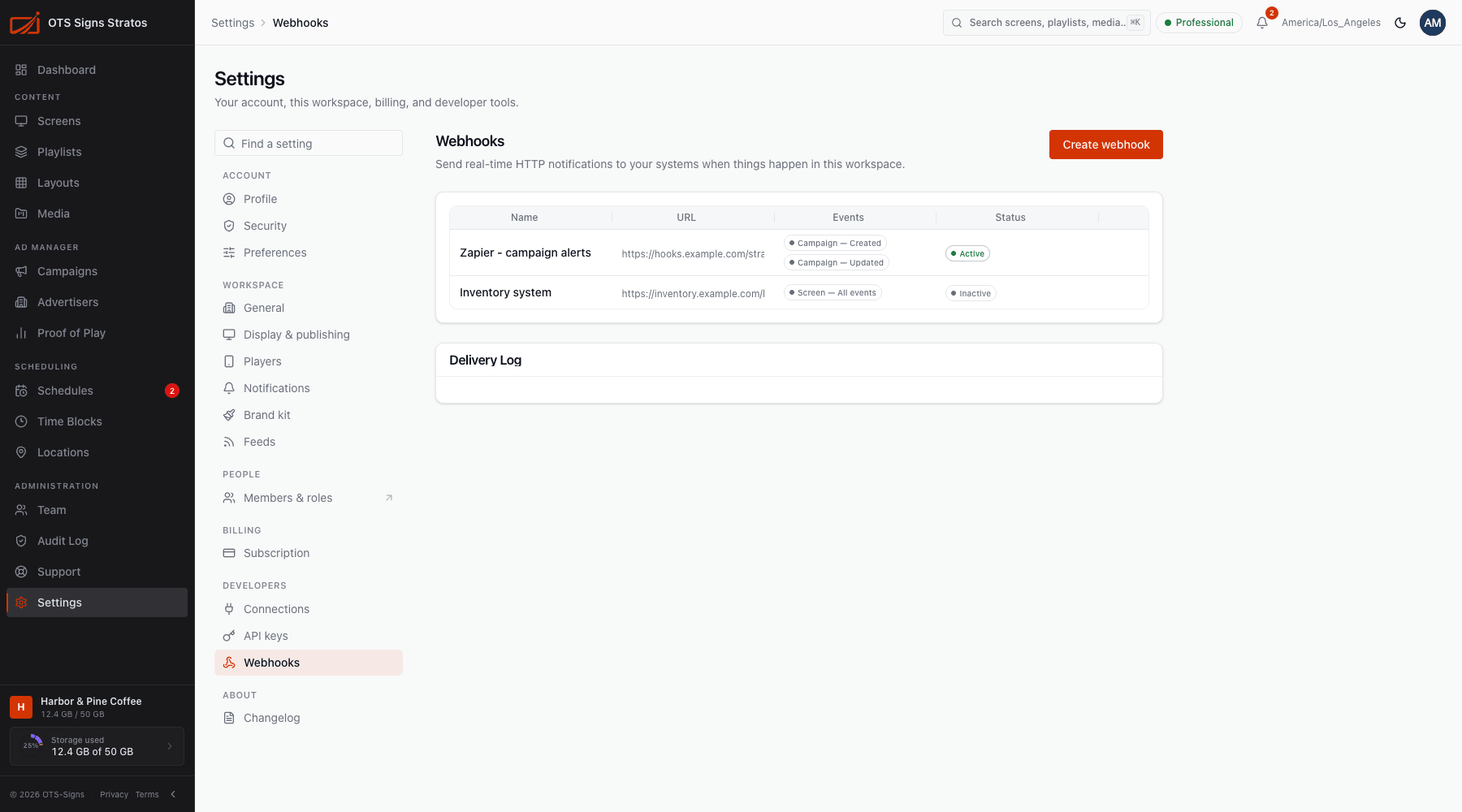
Create a webhook
Section titled “Create a webhook”- Click Create webhook.
- Enter a Name (for example Zapier integration).
- Enter the Endpoint URL, an HTTPS address that will receive events (
https://example.com/webhook). - Choose which Events to send.
- Save.
Events
Section titled “Events”| Event | Sent when |
|---|---|
Campaign: Created / Updated / Deleted (campaign.*) | A campaign changes. |
Screen: Created / Deleted (screen.*) | A screen is added or removed. |
| Subscription: Updated | Your subscription changes. |
| Integration: Requested | A custom integration is requested. |
| Buyer: Requested | An advertiser buyer request is made. |
All events (*) | Everything above, including events added later. |
Choose a group such as screen.* to receive every event of that kind.
Copy the signing secret
Section titled “Copy the signing secret”When you create a webhook, a signing secret is shown once (Copy this secret now). Store it safely. Your receiving server uses it to verify that each request really came from Stratos and wasn’t tampered with.
If the secret is lost or exposed, choose Rotate Secret. A new secret is generated and the old one stops working, so update your server straight away.
Manage webhooks
Section titled “Manage webhooks”Each webhook shows its URL, events and state. Use the row menu to:
- Edit its name, URL or events.
- Test sends a sample event to your URL to confirm it’s reachable (Test event sent, or Test event failed with details).
- Rotate Secret.
- Switch it Active or Inactive. An inactive (paused) webhook sends nothing until you turn it back on.
Delivery log
Section titled “Delivery log”The Delivery Log shows each attempt: the event, its status, how many tries, the response code from your server and any error. Use it to debug a receiver that isn’t responding. Failed deliveries are retried automatically.
Verifying a request
Section titled “Verifying a request”Every request is a POST with a JSON body and three headers:
| Header | Value |
|---|---|
Stratos-Webhook-Id | A unique ID for the event. Use it to ignore duplicates. |
Stratos-Webhook-Timestamp | Unix time in seconds when the request was signed. |
Stratos-Webhook-Signature | v1= followed by a hex HMAC-SHA256 of {timestamp}.{raw body}, using your signing secret as the key. |
To verify: compute the HMAC of the timestamp, a dot and the exact raw request body with your secret, and compare it to the signature in constant time. Reject requests whose timestamp is far from the current time, to block replays.
Delivery and retries
Section titled “Delivery and retries”A delivery succeeds when your endpoint answers with a 2xx status. Otherwise Stratos retries with growing delays (doubling each time, up to an hour) for up to 10 attempts before marking it failed. The Delivery Log shows the attempts.
If the webhook is Inactive, or your plan no longer includes webhooks, deliveries are not sent.
Receiving webhooks well
Section titled “Receiving webhooks well”- Respond quickly with a 2xx and do heavy work afterwards.
- Verify the signature before trusting a request.
- Expect duplicates. Retries mean an event can arrive more than once, so make your handler safe to run twice (use
Stratos-Webhook-Id).