
The Screen Page
What's on each tab of a screen's page, from live view to health and device controls.
Click any screen to open its page. The header shows the screen’s name, status badge, group, resolution, orientation and location. The page has five tabs: Overview, Playback, Health, Device and Settings.
Header actions
Section titled “Header actions”- Refresh content asks the player to re-sync right away. For an unpaired screen this button is Provision device instead.
- More actions (the ⋯ menu) holds Capture screenshot, Ping player, Update to v… (when a newer player version exists), Reboot…, Provision / Re-provision device, Copy screen ID and Delete screen….
Device actions need screens:write. Deleting needs screens:delete.
Alerts
Section titled “Alerts”A coloured banner appears above the tabs when something needs attention:
- No player is paired with this screen: pair one with Provision device.
- Offline: the display may keep showing cached content, but changes won’t reach it until the player reconnects. Check power and network, then review the device logs.
- Connection unstable: the player is checking in late, so changes may be delayed.
- A command is queued (for example Reboot): it runs on the next check-in. You can Cancel it.
- Updating player: the player is downloading and installing an update, then restarts.
Overview
Section titled “Overview”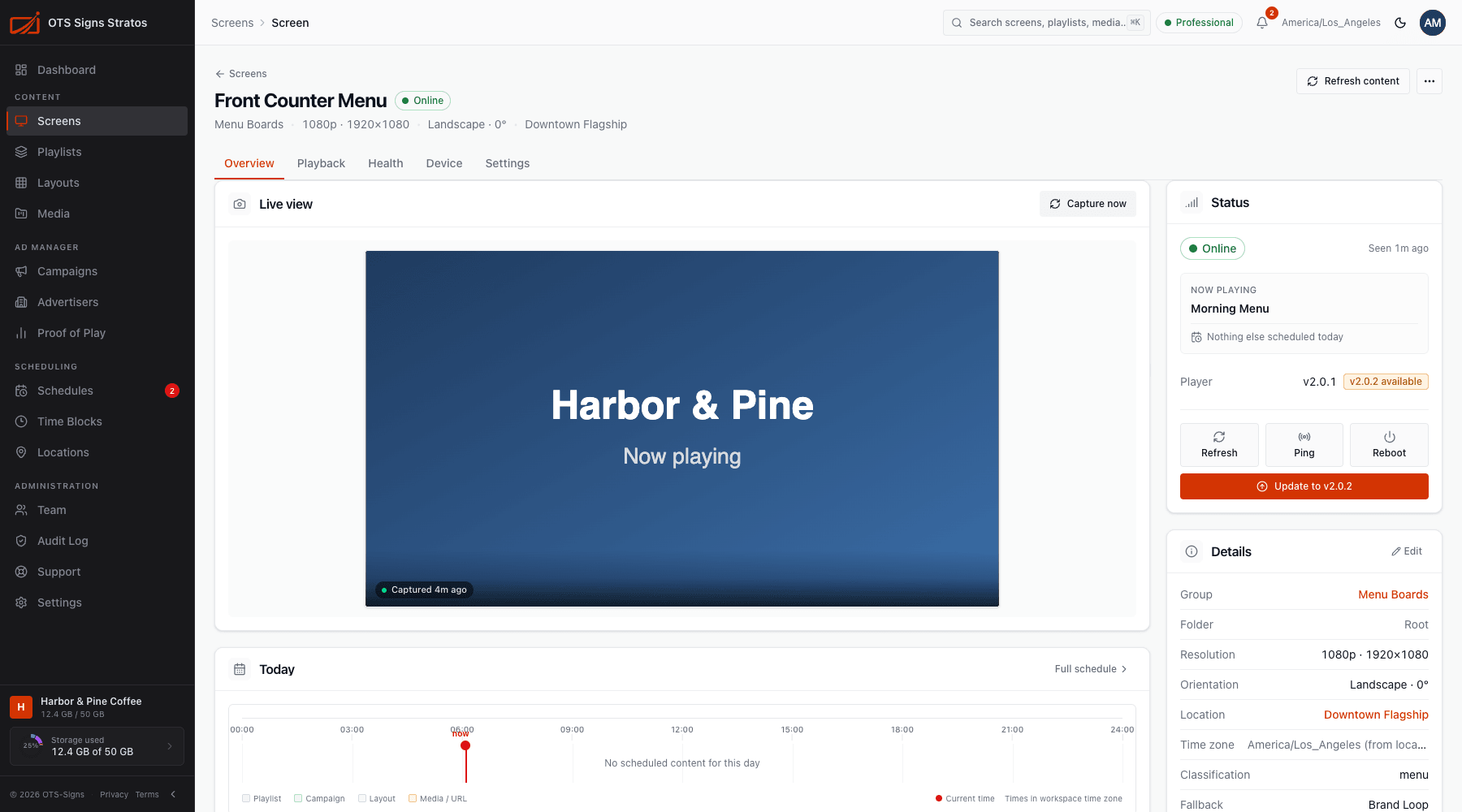
A summary of the screen right now:
- Live view: the most recent screenshot, with a button to capture a new one.
- Today: what’s scheduled across the day.
- Uptime: availability over 24 hours, 7 days or 30 days.
- Status: connectivity, Now playing and Next, the player version, and quick buttons for Refresh, Ping and Reboot.
- Details: name, resolution, folder and other key facts.
- Activity: recent changes and events for this screen.
Playback
Section titled “Playback”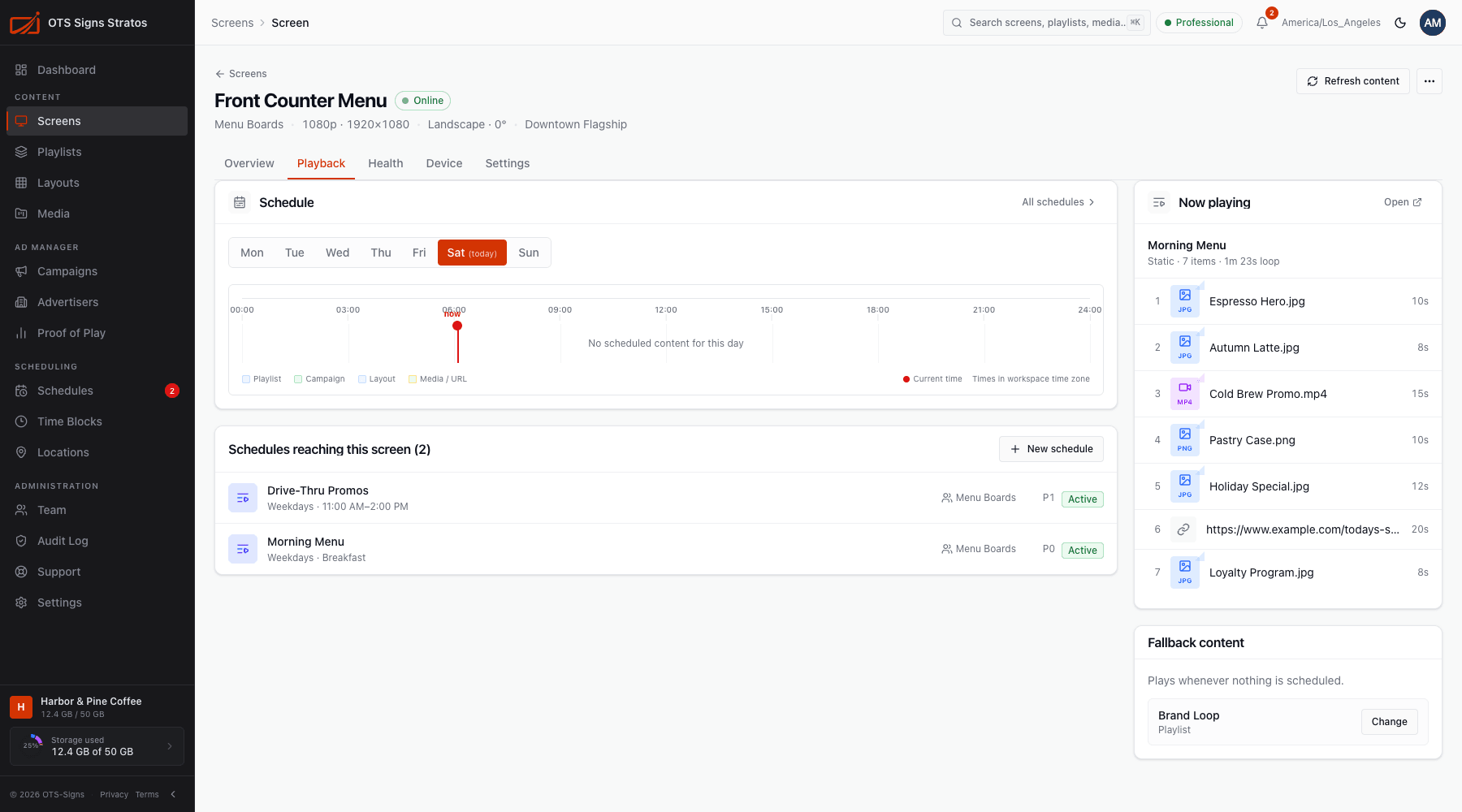
Everything about what this screen plays:
- Schedule: a view of the screen’s schedule.
- Schedules reaching this screen: every schedule that applies, including ones that arrive through the screen’s group or its location. Each shows its priority (Pn), health, and an Emergency badge where relevant.
- Now playing: the items of the playlist currently live.
- Fallback content: what plays when nothing is scheduled. See Screen Settings.
If nothing targets the screen, it plays the workspace fallback content. See How Scheduling Works.
Health
Section titled “Health”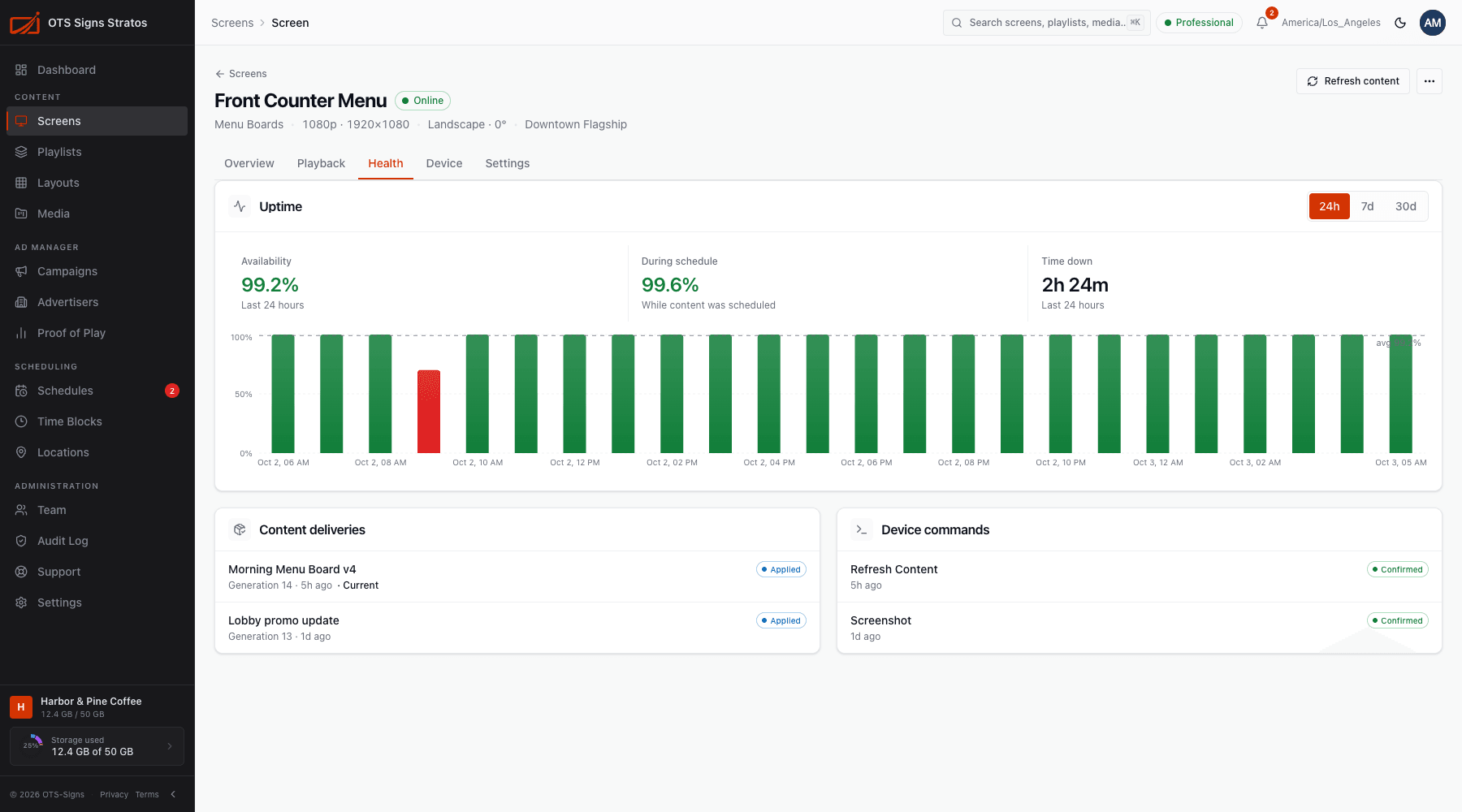
- Uptime: availability, uptime During schedule, and Time down, as a chart. Switch between 24h, 7d and 30d.
- Content deliveries: each time new content is published to this screen, the delivery appears here with its status.
- Device commands: a history of reboots, refreshes, screenshots and updates sent to the player.
See Screen Health.
Device
Section titled “Device”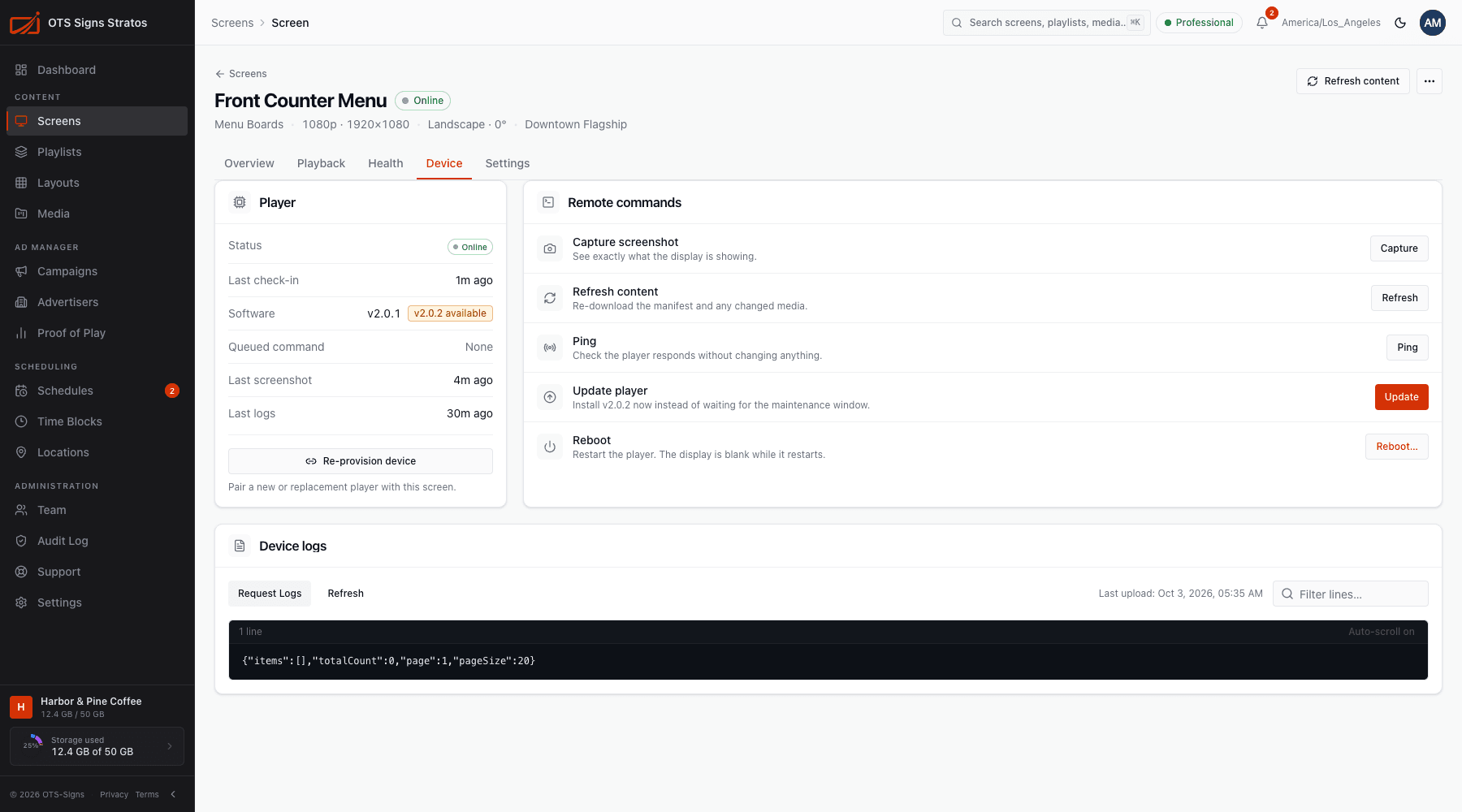
For paired screens:
- Player: status, last check-in, software version, any queued command, and when the last screenshot and logs were received.
- Remote commands: Capture screenshot, Refresh content, Ping, Update player and Reboot.
- Device logs: browse the player’s logs without visiting the device.
If no player is paired, the tab offers Provision device. See Remote Commands.
Settings
Section titled “Settings”Name, location, classification, display, group, folder, time zone and fallback content. See Screen Settings.
Older links
Section titled “Older links”Earlier versions of Stratos had separate Schedules, Content, Logs and Deployments tabs. Links to them now open Playback, Device and Health.