
How Scheduling Works
How Stratos decides what each screen plays: targets, content, hours, priority, overrides and fallback.
A schedule answers one question: what plays on which screens, and when? Everything on a screen comes from schedules, plus two safety nets: overrides (temporary replacements) and fallback content (what plays when nothing is scheduled).
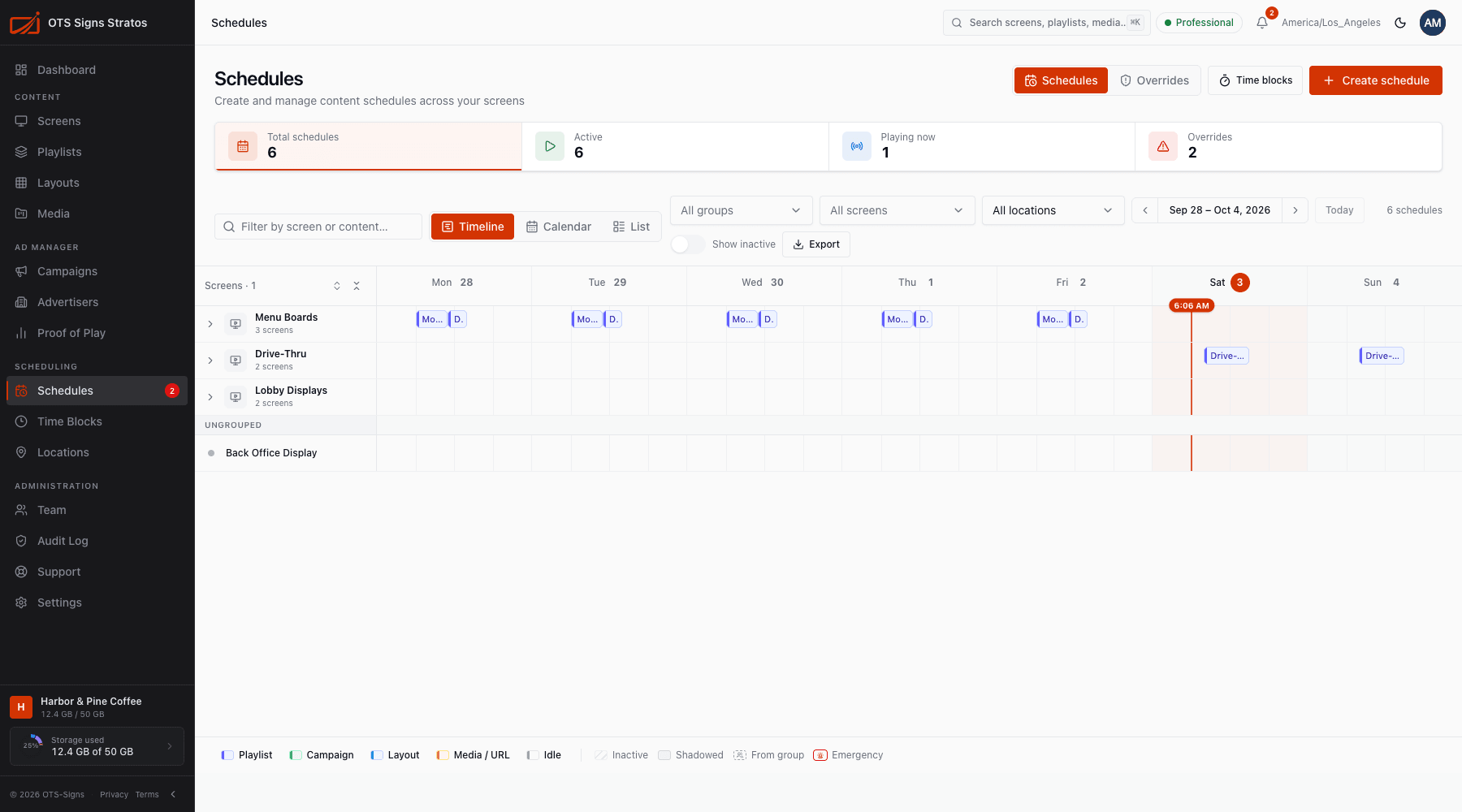
The parts of a schedule
Section titled “The parts of a schedule”| Part | Choose | Notes |
|---|---|---|
| Where | A screen, a screen group or a location | Groups and locations play the same content on all their screens. |
| What | A playlist, campaign, layout, media file or URL | See Creating Schedules. |
| Hours | Custom hours, a time block, or all day | The time of day it plays. |
| Repeats | Every day, certain days, monthly, yearly or once | Optionally limited to a date range, with skipped dates. |
| Priority | Normal, or a higher level | Decides who wins when schedules overlap. |
| Active | On or off | An inactive schedule never plays. |
What a screen plays, in order
Section titled “What a screen plays, in order”At any moment Stratos picks the content for each screen like this:
- An override, if one is running on that screen. Overrides beat every schedule. An emergency override beats a normal one.
- Otherwise the winning schedule: of all active schedules that apply right now, the one with the highest priority. If priorities tie, the newest schedule wins.
- Otherwise the screen’s fallback content.
- Otherwise the workspace default content.
- Otherwise a blank screen.
A screen is reached by a schedule if the schedule targets the screen itself, its group, or its location. A location or group schedule has no special rank: it competes on priority like any other.
Time zones
Section titled “Time zones”Hours are in the screen’s own time zone: the screen’s setting if it has one, otherwise its location’s time zone, otherwise the workspace time zone. One schedule on a group can therefore play at 9:00 local time in every city. See Screen Settings.
Schedules, playlists and layouts
Section titled “Schedules, playlists and layouts”- A playlist is a sequence that loops for as long as the schedule is active.
- A layout is a full-screen design. Publish it first. See Publishing Layouts.
- Changing a playlist changes everywhere it’s scheduled, immediately after you save.
How changes reach screens
Section titled “How changes reach screens”Players check in regularly, pick up schedule changes and switch at the right moment. Use Screen Health to confirm a screen is online and up to date.
Where to go next
Section titled “Where to go next”- Managing Schedules: the Schedules page, with timeline, calendar and list views
- Creating Schedules
- Time Blocks
- Locations
- Overrides
- Priority & Conflicts